App Installation
Choose your device
Install Android App
- Open Chrome on your Android device and go to myfooddiary.com/install.
- Tap the menu icon at the top of the screen.

- Select Add to Home screen. You may need to scroll down to see it.
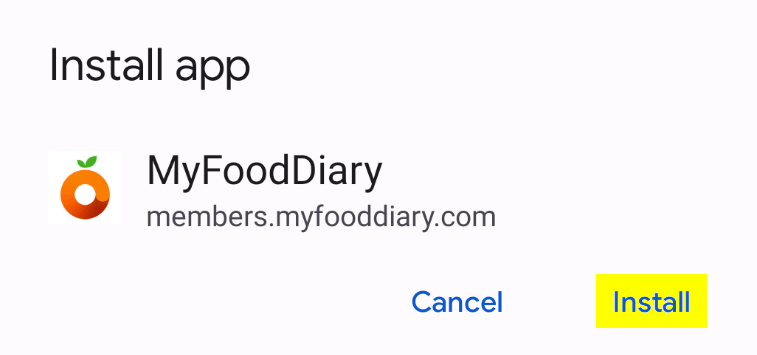
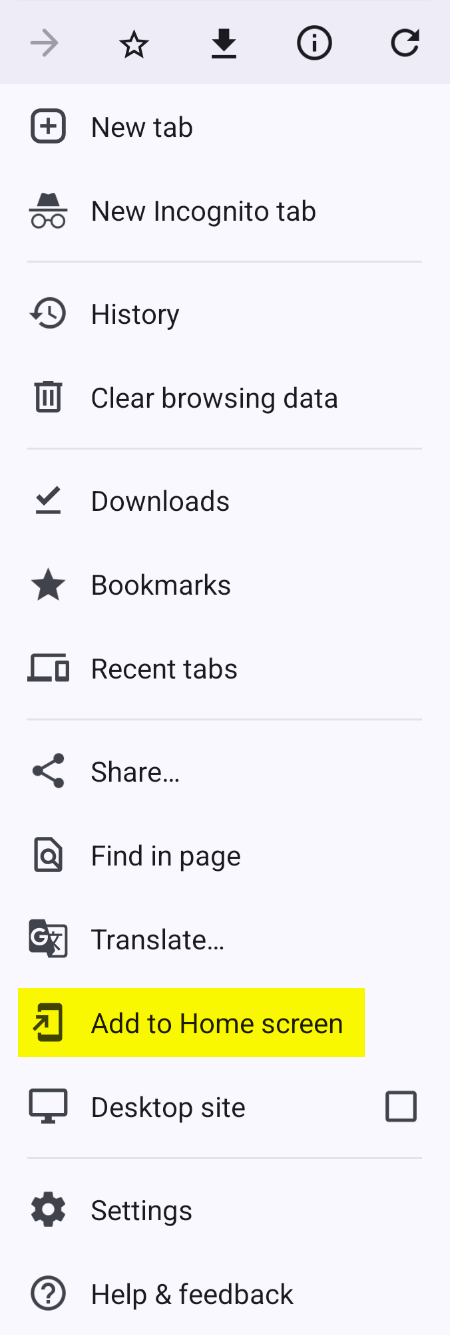 Choose Install app if Add to Home screen is not listed in the menu.
 - Tap Install.
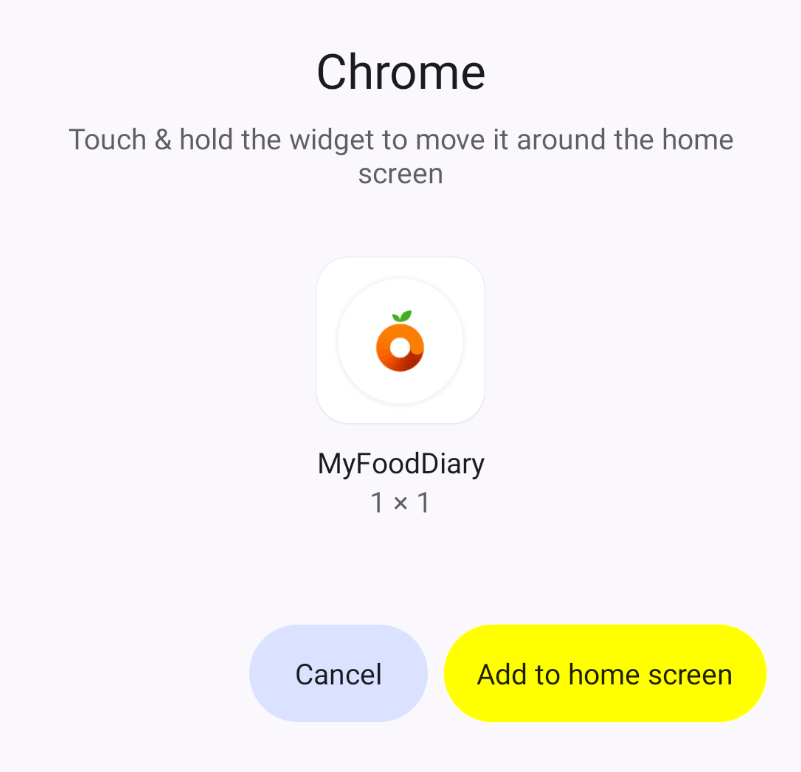
- Tap Add to home screen.
- Locate our app icon on your home screen.
Install on another device
Install iPhone App
- Open Safari on your iPhone and go to myfooddiary.com/install.
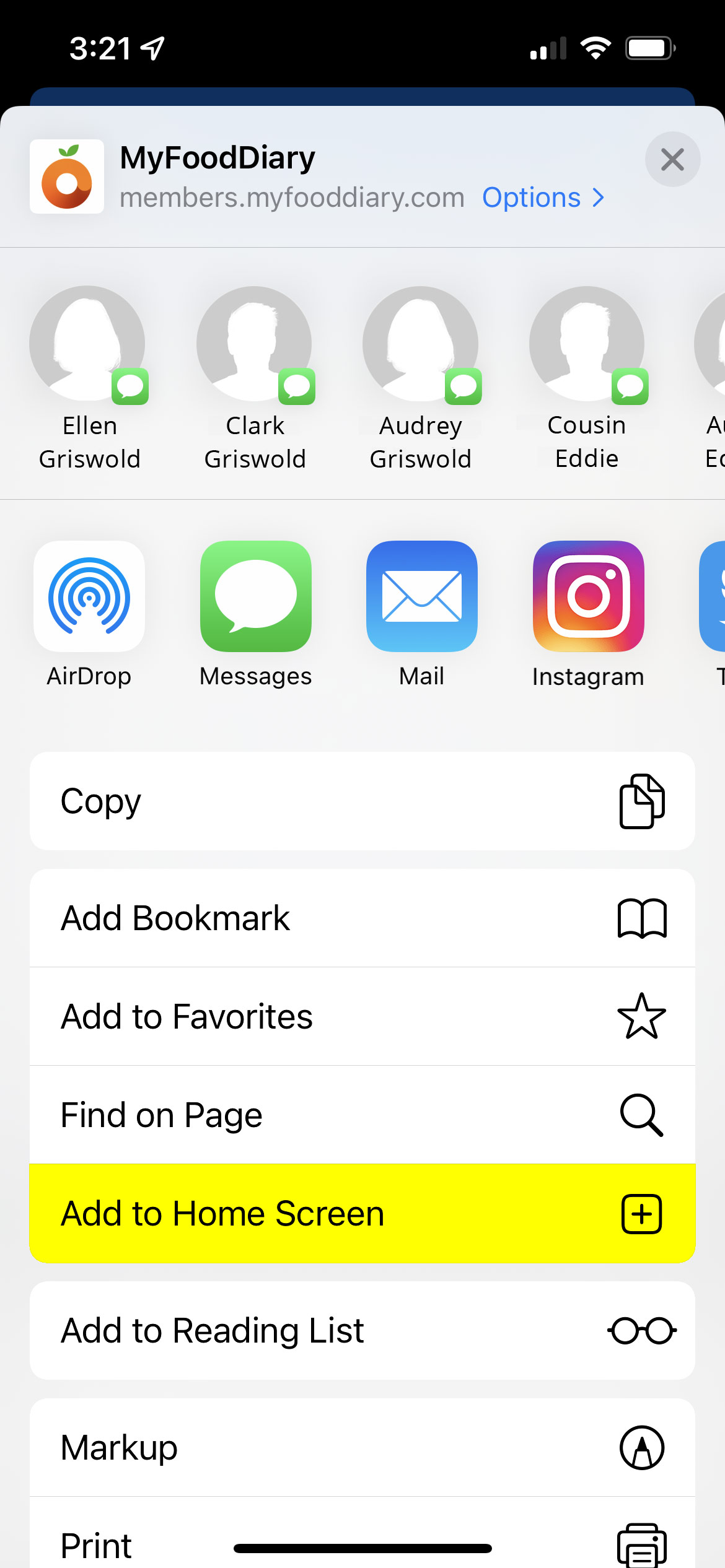
- Tap the share icon at the bottom of the screen. If you don't see it, scroll to the top of the page, and it should reappear.

- Scroll down and select Add to Home Screen.
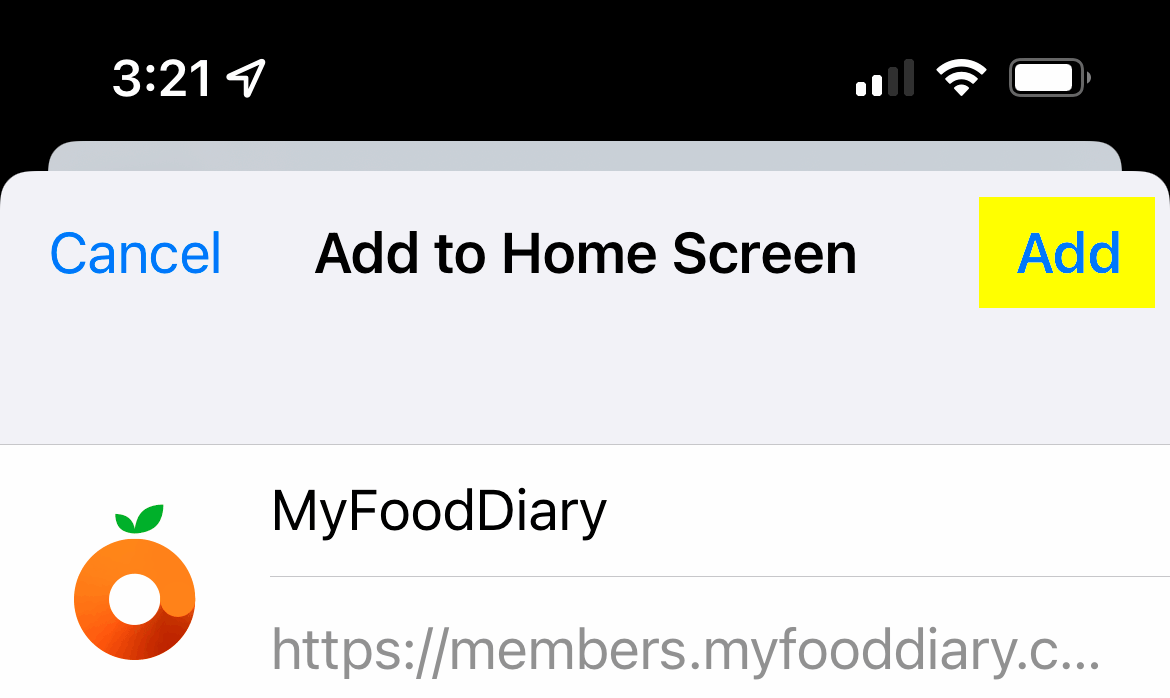
- Tap Add.
- Locate our app icon on your home screen.
Install on another device
Install iPad App
- Open Safari on your iPad and go to myfooddiary.com/install.
- Tap the share icon at the bottom of the screen. If you don't see it, scroll to the top of the page, and it should reappear.

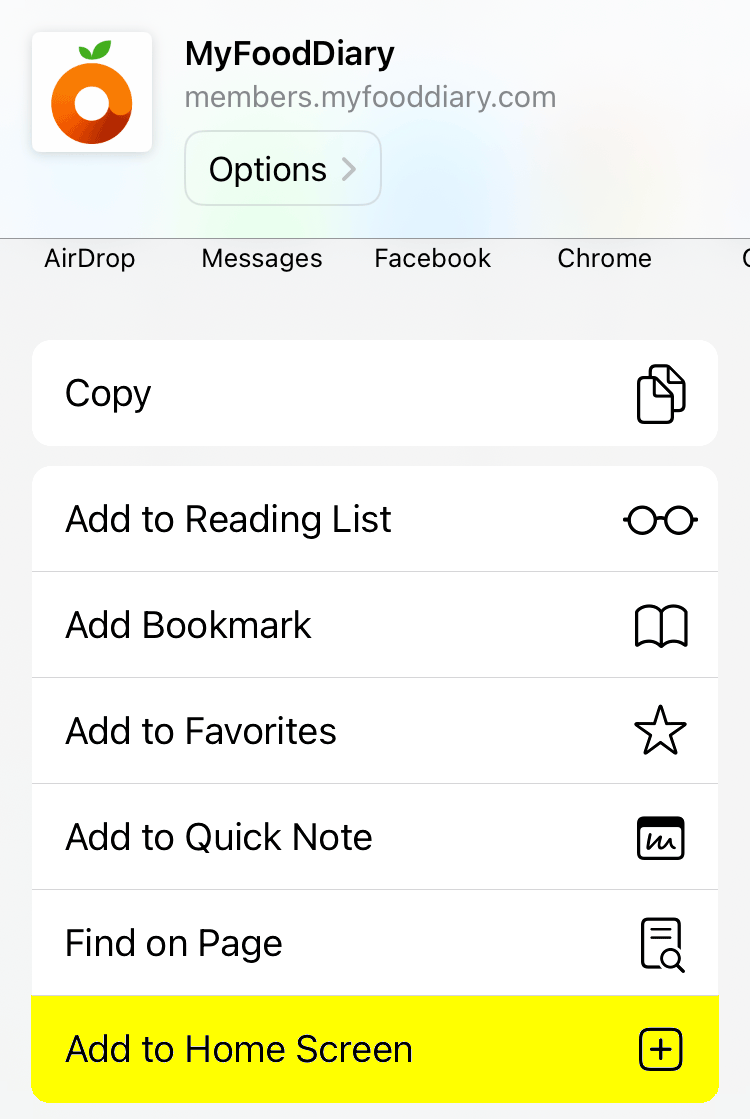
- Scroll down and select Add to Home Screen.
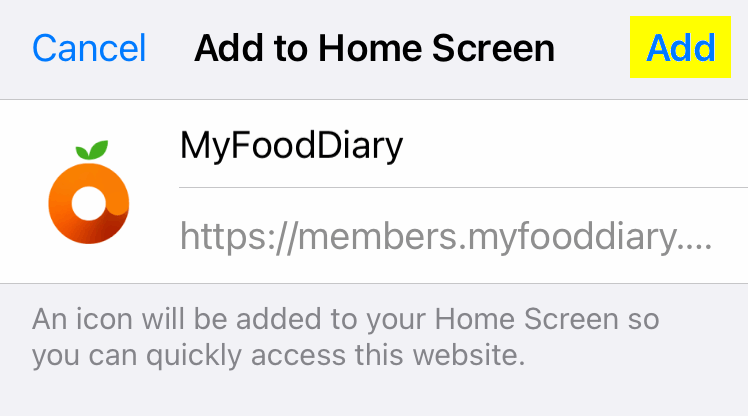
- Tap Add.
- Locate our app icon on your home screen.
Install on another device